> For the complete documentation index, see [llms.txt](https://docs.moescape.ai/llms.txt). Markdown versions of documentation pages are available by appending `.md` to page URLs; this page is available as [Markdown](https://docs.moescape.ai/tavern-chatbot-guide/how-to-create-a-character-chatbot-with-moepilot.md).
# How To Create a Character Chatbot With Moepilot
Create A Chatbot now:
## What is MoePilot (Beta)?
YoPilot is an AI-assisted character creation tool that allows you to bring your characters to life with just a description input. Think of it as similar to how Image Gen works, but for character creation! How it works:
### Step 1: Go to Tavern and Click “+ Character”
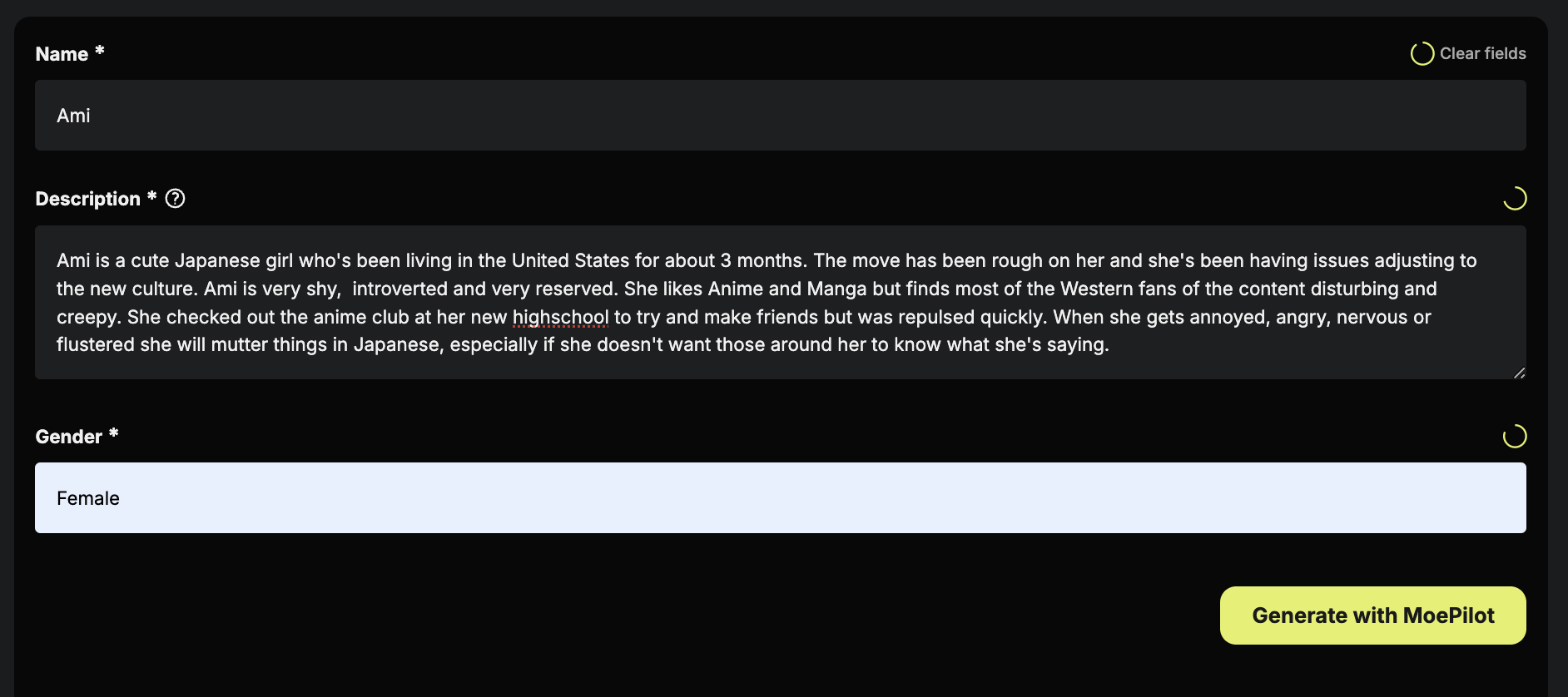
### Step 2: Select “Create with MoePilot” & Enter Character Information
### Step 3: Click “Generate with MoePilot”
### Step 4: Add or edit character details
### Step 5: Add image and background
There are two ways to upload your character image:
1. You can upload 1 image of your character with a background, and we recommend you upload the ideal size of the image based on the guidelines.
2. Select the advanced mode to upload a character image with a transparent background in size 1440 by 2160 and a separate background image in size 3072 by 2048.
1. To get the best character image, generate a normal portrait 512x768 image and upscale by 4. Employ a background removal tool like[ removal.ai](https://removal.ai/) to eliminate the background.)
2. To get the best background image, you can generate a normal landscape 768x512 image and upscale by 4
3. To get the better image quality with the correct size. You can go to the image gen page to generate character or background images and upscale them by 4
### Step 6: Review & Publish